

Why Blitzy?
Blitzy generates code for projects your team doesn’t have time to build manually:- Greenfield products — Go from a prompt to a working application. Ship new products that wouldn’t otherwise get resourced.
- Legacy modernization — Large-scale refactoring and migration requiring months of senior engineering time.
- Technical debt — Security vulnerabilities, outdated dependencies, and architectural improvements that keep getting deprioritized.
- Design-to-code — Convert Figma screens into pixel-faithful front-end code.
- Cross-codebase changes — Pattern migrations and repetitive changes across hundreds of files.
What Makes Blitzy Different
Codebase Understanding
Learns your architecture, patterns, and domain terminology.
Autonomous Generation
Generates and validates code continuously until the job is done.
SDLC Integration
Adapts to your development lifecycle and evolves alongside your processes.
Visual Input
Attach Figma frames directly to prompts for design-aware code generation.
Living Artifacts
Evolving Tech Specs, reviewable Action Plans, and Project Guides for handoff.
Key Concepts
Five terms you need to know before using Blitzy:
See the full Glossary for all Blitzy-specific terminology.
How Blitzy Works
Workspace vs Knowledge Base
The Blitzy platform has two UI modes accessible via a toggle:
Toggle between modes using the UI toggle to switch between Workspace and Knowledge Base.
Workflow Overview
Blitzy’s workflow adapts to whether you’re starting from scratch or working with an existing codebase.- New Product
- Existing Product
Build new applications from a prompt:
1
Write a generation prompt
Describe what you want to build, your tech stack, and key features
2
Review the Agent Action Plan
Blitzy outlines the code it will create; review and refine the approach
3
Generate code
Blitzy generates production-ready code and creates a pull request
4
Review and merge
Test the code, review the Project Guide documentation, and merge
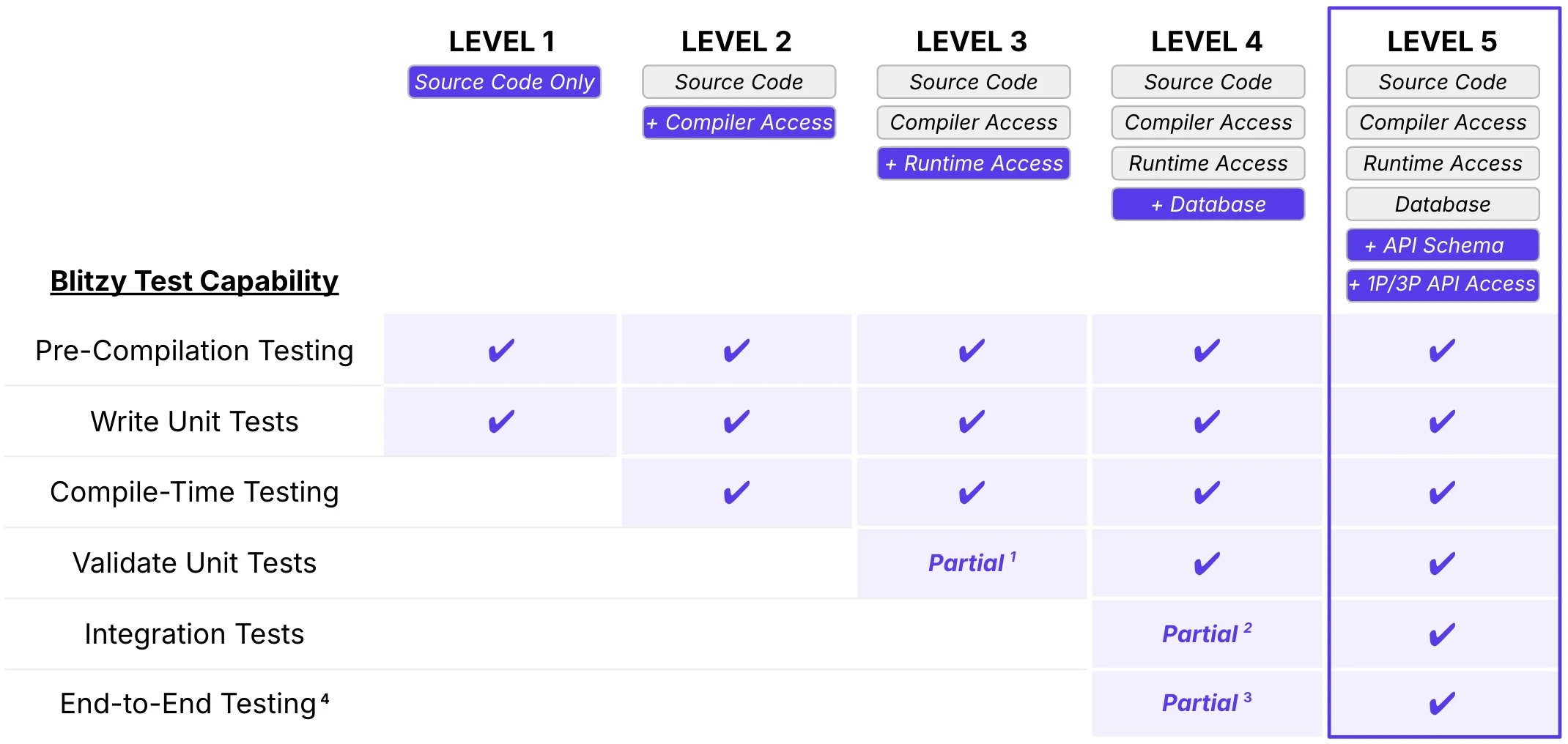
Environment access levels determine Blitzy's testing capabilities