> ## Documentation Index
> Fetch the complete documentation index at: https://docs.blitzy.com/llms.txt
> Use this file to discover all available pages before exploring further.
# Blitzy Platform
> AI-native software development platform for code generation, modernization, and documentation
Onboard your first repository and generate production-ready code with Blitzy.
***
## What Blitzy Does
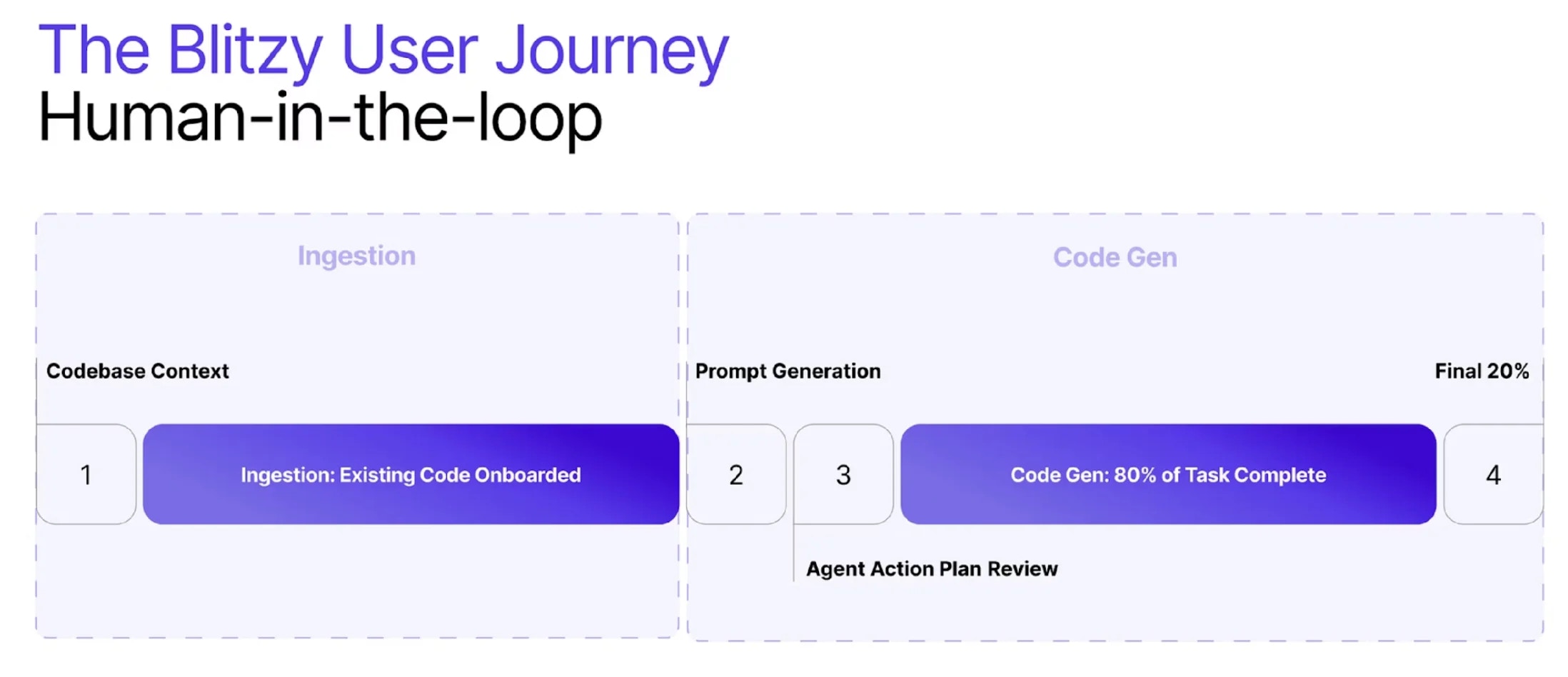
Blitzy generates code from your prompts, validates it in isolated environments, and opens a pull request for your review. You control every step — from the implementation plan to the final merge.
 ***
## Who Uses Blitzy
* Large-scale refactoring that would take quarters to complete manually
* Security vulnerabilities requiring systematic remediation across codebases
* Architectural improvements that keep getting deprioritized
* Modernization projects requiring months of engineering effort
* Undocumented systems needing comprehensive documentation
* Pattern migrations across hundreds or thousands of files
* Adding features without expanding headcount
* Launching products that wouldn't otherwise be feasible
* Maintaining consistent code quality across large teams
* Shipping critical work without pulling senior engineers off roadmap items
* Compressing development timelines from months to days
* Freeing teams to focus on high-value problems
***
## Explore the Docs
### Platform
Write prompts, review plans, and manage code generation.
Browse technical specifications by repository and branch.
### Workflows
Set up repos, review specs, validate plans, and verify output.
Environments, teams, SSO, submodules, and usage metering.
Ingestion, generation, refinement, and validation.
Merge, close, and refine decisions for generated code.
### Integrations
Connect GitHub, GitLab, Azure DevOps, and Figma to your Blitzy projects.
### Guides & Templates
Step-by-step examples for features, refactoring, bug fixes, security, and testing.
Ready-to-use prompt templates for common scenarios.
***
Open the platform and start generating code.
***
## Who Uses Blitzy
* Large-scale refactoring that would take quarters to complete manually
* Security vulnerabilities requiring systematic remediation across codebases
* Architectural improvements that keep getting deprioritized
* Modernization projects requiring months of engineering effort
* Undocumented systems needing comprehensive documentation
* Pattern migrations across hundreds or thousands of files
* Adding features without expanding headcount
* Launching products that wouldn't otherwise be feasible
* Maintaining consistent code quality across large teams
* Shipping critical work without pulling senior engineers off roadmap items
* Compressing development timelines from months to days
* Freeing teams to focus on high-value problems
***
## Explore the Docs
### Platform
Write prompts, review plans, and manage code generation.
Browse technical specifications by repository and branch.
### Workflows
Set up repos, review specs, validate plans, and verify output.
Environments, teams, SSO, submodules, and usage metering.
Ingestion, generation, refinement, and validation.
Merge, close, and refine decisions for generated code.
### Integrations
Connect GitHub, GitLab, Azure DevOps, and Figma to your Blitzy projects.
### Guides & Templates
Step-by-step examples for features, refactoring, bug fixes, security, and testing.
Ready-to-use prompt templates for common scenarios.
***
Open the platform and start generating code.